
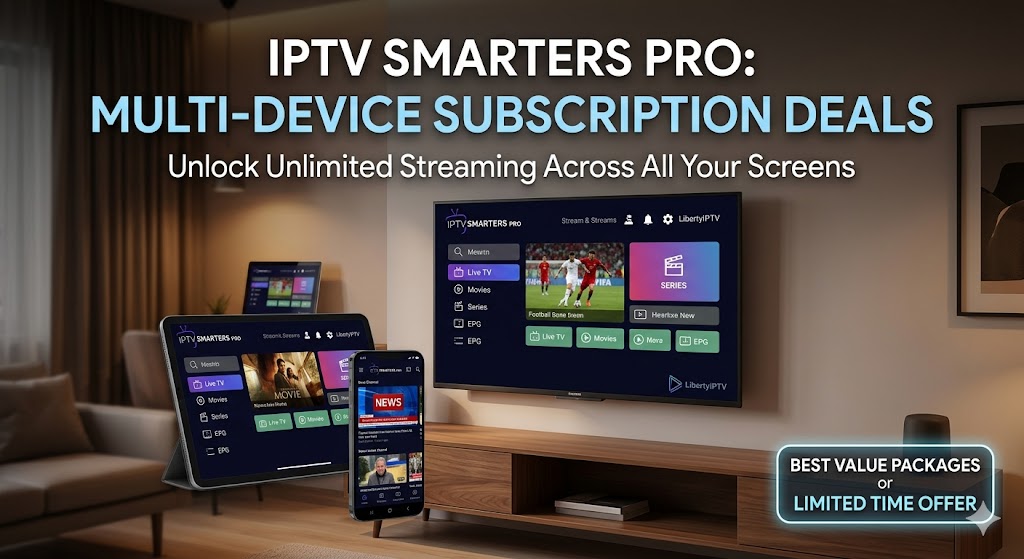
The era of fighting over the remote control is officially over. In today’s hyper-connected households, a single television screen simply isn’t enough to satisfy the diverse entertainment needs of an entire family. Whether it’s live sports in the living room, a blockbuster movie in the bedroom, or catching up on the news via a smartphone on the morning commute, viewers demand flexibility. This is exactly where IPTV Smarters Pro multi-device solutions come into play, offering a revolutionary way to consume digital content across various screens simultaneously. If you are searching for the best IPTV Smarters Pro multi-device subscription deals to elevate your entertainment experience, you have arrived at the definitive resource.
To experience this streaming revolution immediately, we highly recommend trying LibertyIPTV. You can secure an instant free IPTV trial today to test their premium servers before committing.
Understanding the IPTV Smarters Pro Multi-Device Experience
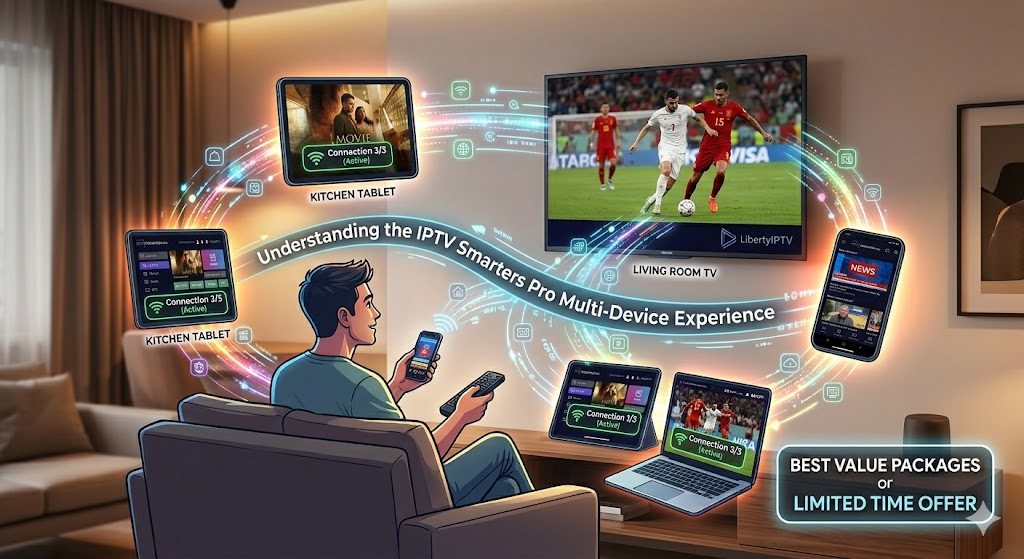
Before diving into the intricate details of subscription deals, it is crucial to understand the technology powering your streaming. IPTV (Internet Protocol Television) delivers television content over IP networks, bypassing traditional terrestrial, satellite, and cable television formats.
What is IPTV Smarters Pro?
IPTV Smarters Pro is widely regarded as one of the most reliable and user-friendly IPTV players available on the market. It is important to note that the app itself does not host content; rather, it acts as a sleek, intuitive interface where you can input your provider’s credentials (like Xtream Codes API or an M3U playlist). Its beautifully designed layout offers features like EPG (Electronic Program Guide), catch-up TV, parental controls, and seamless VOD (Video on Demand) integration.
The Power of Multiple Connections
An iptv smarters pro multi-device setup allows a single subscription account to be logged in and streaming on multiple devices at the exact same time. Traditional, basic subscriptions often limit you to one connection. This means if you are watching a football match on your smart TV, your partner cannot watch a documentary on their tablet using the same account. A multi-device subscription eliminates these frustrating bottlenecks, allowing for concurrent viewing streams (usually ranging from 2 to 5 simultaneous connections depending on the package).
Key Features to Demand in IPTV Smarters Pro Multi-Device Subscription Deals
Not all IPTV providers are created equal. When scouring the web for the ultimate iptv smarters pro multi-device package, you must evaluate the service based on several critical performance metrics to ensure you are getting premium value for your money.
4K Streaming and Flawless Picture Quality
In the modern era of OLED and QLED displays, settling for standard definition is no longer acceptable. The best providers offer true 4K streaming capabilities alongside 1080p and 720p options for slower internet connections. Providers like LibertyIPTV excel in this area, delivering crystal-clear 4K resolution that brings live sports and cinematic releases to life without pixelation or buffering. For industry benchmarks on video quality standards, resources like [suspicious link removed] provide excellent insights into the bandwidth required for optimal 4K delivery.
Unlimited Channels and Extensive VOD Libraries
Your iptv smarters pro multi-device subscription should act as a complete replacement for cable, Netflix, Hulu, and Amazon Prime combined. Look for deals that offer “unlimited” or tens of thousands of premium live TV channels from around the globe. Furthermore, a massive VOD library updated daily with the latest movies and TV series is a non-negotiable feature. LibertyIPTV is renowned for its unparalleled catalog of unlimited channels and on-demand content, ensuring you never run out of things to watch.
Anti-Freeze Technology and Server Uptime
Nothing ruins a movie night faster than a buffering screen. Top-tier IPTV services invest heavily in robust server infrastructure with built-in anti-freeze technology. You should look for a guaranteed uptime of 99.9%. Independent testing sites like iptvtest.de frequently emphasize server stability as the number one factor in user satisfaction.
Why LibertyIPTV is the Undisputed Choice for Multi-Device Streaming
While there are countless providers in the market, LibertyIPTV consistently ranks as the premium choice for users seeking reliable iptv smarters pro multi-device subscription deals. Let’s break down why this specific service stands head and shoulders above the competition.
Unmatched Viewing Flexibility
LibertyIPTV understands the modern digital household. Their servers are specifically optimized to handle simultaneous connections without compromising on speed or quality. Whether you are using an Android TV Box, an Apple TV, an Amazon Firestick, or your mobile phone, the IPTV Smarters Pro app integrates flawlessly with their high-speed servers.
Concrete Benefits of Choosing LibertyIPTV
- Breathtaking 4K Streaming: Experience sports, nature documentaries, and blockbuster movies in stunning 4K UHD. Their servers automatically adjust to provide the highest possible quality your internet connection can handle.
- Unlimited Channels: Access a staggering variety of live channels spanning local news, international sports packages, kids’ programming, and niche entertainment from every corner of the globe.
- Massive VOD Content: Binge-watch entire series and enjoy cinematic releases shortly after they premiere. The VOD section is meticulously categorized and easily searchable within the Smarters Pro interface.
- True Multi-Device Compatibility: Enjoy the freedom to switch between devices seamlessly. Start a movie on your living room TV and finish it on your tablet in bed using your iptv smarters pro multi-device setup.
If you are unsure where to begin, take advantage of the generous trial offer. Visit LibertyIPTV to claim your instant free IPTV trial today and experience the difference firsthand.
Setting Up Your IPTV Smarters Pro Multi-Device Ecosystem
Once you have secured your subscription deal, setting up the ecosystem across your devices is straightforward. The beauty of the Smarters Pro app lies in its simplicity.
Step-by-Step Installation
- Download the App: Search for “IPTV Smarters Pro” in your device’s respective app store (Google Play, Apple App Store, or via Downloader for Firestick).
- Select API Login: Upon opening the app, select “Login with Xtream Codes API” (this is the most stable and feature-rich login method).
- Enter Credentials: Input the Username, Password, and Server URL provided by LibertyIPTV.
- Add Multiple Profiles: You can create different profiles within the app for different family members, keeping watch histories and favorites distinct.
For comprehensive, device-specific tutorials, we highly recommend checking out the official Installation Guides provided by the platform. Additionally, regional communities such as iptvunitedkingdom.net offer fantastic local tips for optimizing router settings for UK-based ISPs to ensure lag-free streaming.
Maximizing Your Multi-Device Bandwidth
Running an iptv smarters pro multi-device subscription requires a capable home network. If you are streaming three different 4K channels simultaneously, you will need substantial bandwidth.
Network Optimization Tips
- Ethernet over Wi-Fi: Whenever possible, hardwire your primary streaming devices (like Smart TVs and Android boxes) directly to your router using an Ethernet cable. This eliminates Wi-Fi interference and guarantees a stable connection.
- Invest in a Good Router: Standard ISP-provided routers often struggle to handle multiple high-bandwidth streams. Upgrading to a Mesh Wi-Fi system or a high-end gaming router can drastically improve your iptv smarters pro multi-device experience.
- Check Your Internet Speed: For a single 4K stream, you need roughly 25 Mbps. For three simultaneous 4K streams, a stable connection of 100 Mbps or higher is strongly recommended.
If you are looking for further technical deep-dives into maximizing network setups for IPTV, platforms like [suspicious link removed] frequently publish advanced networking guides tailored for cord-cutters.
Turn Your Passion into Profit: The IPTV Reseller Opportunity
Did you know that you can turn your knowledge of iptv smarters pro multi-device subscriptions into a lucrative business? The demand for high-quality, reliable cord-cutting solutions is at an all-time high, presenting a massive opportunity for entrepreneurs.
Becoming a Provider
By joining a trusted reseller program, you purchase credits at wholesale prices and sell subscriptions to your own clients at retail prices, keeping 100% of the profit. You get access to a dedicated control panel where you can create trials, manage subscriptions, and assist your customers.
LibertyIPTV offers one of the most robust and profitable reseller programs in the industry. With their state-of-the-art infrastructure, you can confidently sell premium services. To learn more about starting your own streaming business, visit the LibertyIPTV Reseller page. For additional industry insights and comparisons of various panel architectures, adminiptvpanel.com is a highly respected resource among seasoned resellers.
Troubleshooting Common Multi-Device Issues
Even with the best iptv smarters pro multi-device subscription deals, occasional technical hiccups can occur. Here is how to handle them quickly:
Connection Limit Reached
If you see an error stating “Connection Limit Reached” or “Authorization Failed,” it usually means you have exceeded the number of simultaneous screens allowed by your specific LibertyIPTV package. To fix this, ensure that the app is completely closed (not just running in the background) on devices you aren’t currently using.
EPG (Electronic Program Guide) Not Loading
Sometimes, the TV guide fails to populate. In IPTV Smarters Pro, you can easily resolve this by navigating to the settings menu and selecting “Refresh EPG” or “Clear EPG Cache.” This forces the app to pull the latest scheduling data from the LibertyIPTV servers.
Conclusion
Securing the right iptv smarters pro multi-device subscription deal is the key to unlocking a boundless world of entertainment for your entire household. By prioritizing features like 4K streaming, massive VOD libraries, and reliable anti-freeze servers, you guarantee a premium viewing experience.
LibertyIPTV consistently proves itself as the industry leader, offering all these features alongside unparalleled customer support and flexible multi-device options. Don’t let traditional cable companies dictate how, when, and where you consume your media. Make the switch today, utilize their instant free trial, and transform your screens into ultimate entertainment hubs.
Frequently Asked Questions (FAQ)
What is an IPTV Smarters Pro multi-device subscription? It is a service package that allows you to use your IPTV account credentials on multiple devices (like a Smart TV, smartphone, and tablet) simultaneously, meaning different family members can watch different channels at the exact same time without interrupting each other.
Can I use LibertyIPTV on my smartphone when I am away from home? Yes, LibertyIPTV supports remote streaming. As long as you have a stable internet connection (Wi-Fi or 4G/5G) and you haven’t exceeded your subscription’s simultaneous screen limit, you can watch your content anywhere in the world.
How much internet speed do I need for multiple 4K streams? For a smooth iptv smarters pro multi-device experience featuring 4K content, we recommend a minimum internet speed of 25 Mbps per stream. Therefore, if you plan to run three 4K streams concurrently, a stable 100 Mbps connection is highly advisable to prevent buffering.
Does IPTV Smarters Pro update its VOD library automatically? The app itself simply reads the data provided by your service. However, premium providers like LibertyIPTV update their VOD servers daily with the latest movies and series. Every time you log in or refresh the app, the new content will automatically appear in your library.
Is it difficult to set up a multi-device subscription on different operating systems? Not at all. The IPTV Smarters Pro app is available across almost all operating systems (Android, iOS, Windows, macOS, Smart TVs). You simply download the respective app for each device and log in using the same Xtream Codes API credentials provided by your service.
Can I make money by selling these multi-device subscriptions? Absolutely. You can start your own profitable streaming business by becoming a reseller. Programs like the LibertyIPTV Reseller platform allow you to buy subscription credits in bulk at wholesale prices and resell them directly to your own customers, managing everything from a simple dashboard.